ECN Lab 2: OpnSense Firewall High Availability Setup
INTRODUCTION
SCENARIO: We are appointed as security engineer to secure a virtual company named “samyak.org”. Currently there have 50+ employees in the company and there are no security measures, no network management, no AD, nothing just all connected to a LAN.
Welcome to the second post of my “Enterprise Cyber Security and Networking Lab” (ESN Lab) series.
So far we had isolated the WAN network from Clients using a firewall server and a switch.
Now the owner of samyak.org had reported, that one firewall went down due to some technical issues. And the clients were disconnected from internet.
Now we plan to make the a redundant firewall setup.
ie. if one firewall goes down there is a backup firewall. So clients may resume their activities like nothing happened.
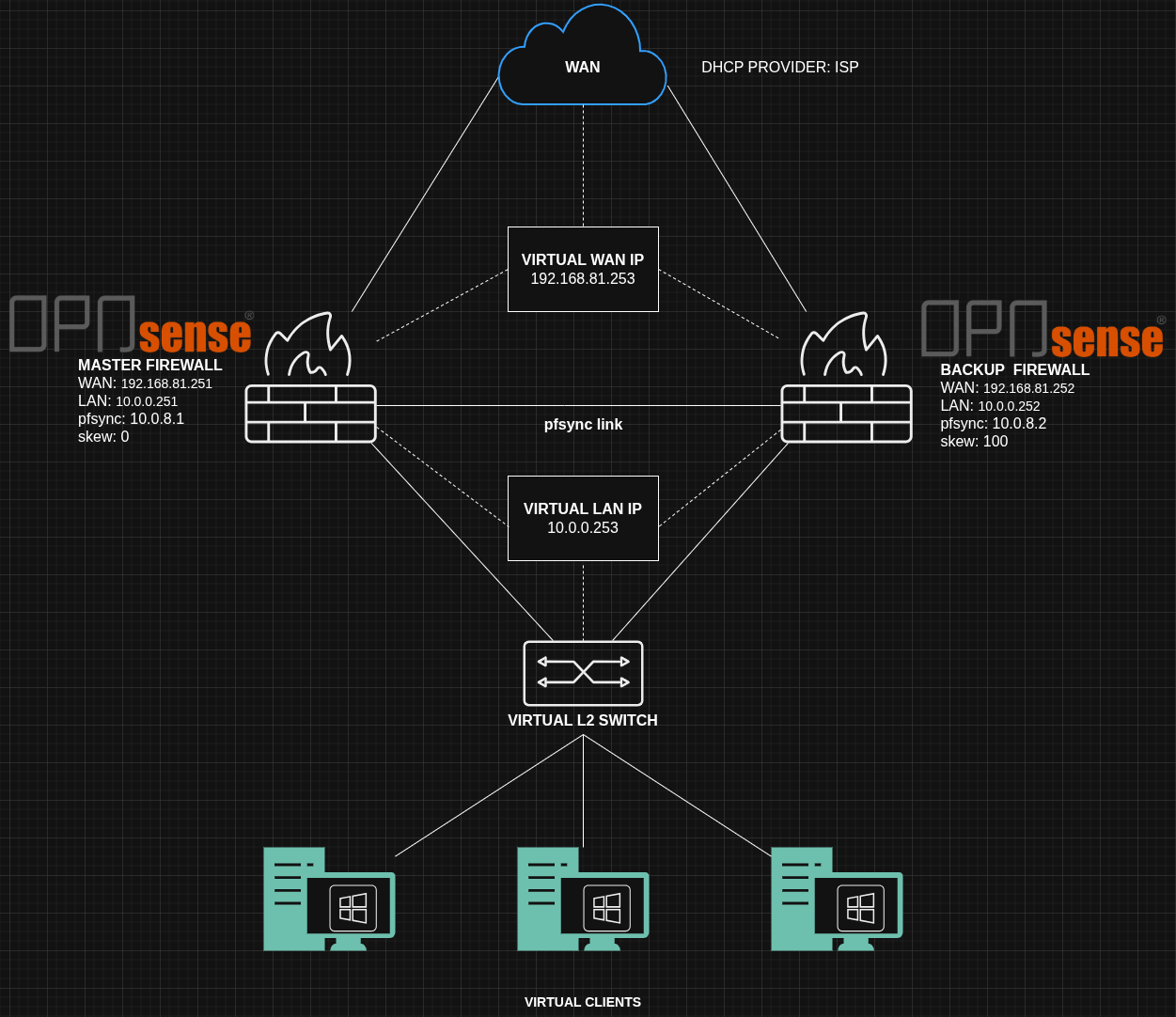
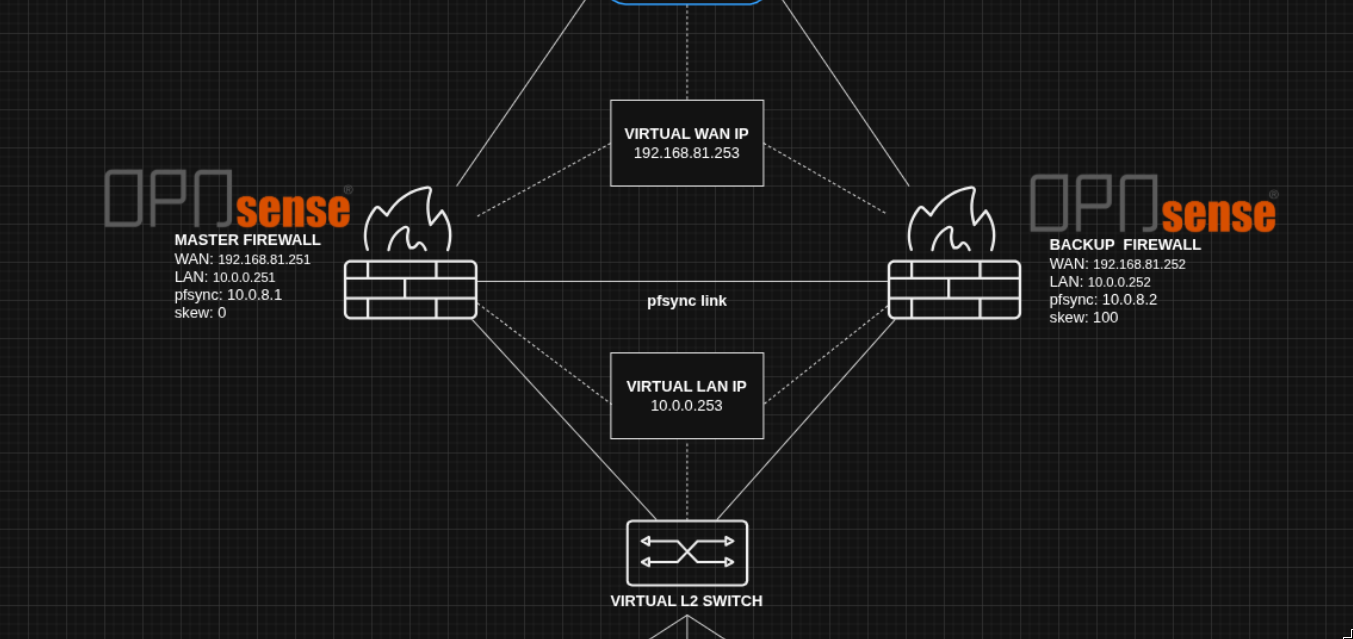
We will achieve this by establishing a CARP (Common redundancy address protocol) between the “MASTER” and the “BACKUP / SLAVE” firewall. both connected through another private network “pfsync link”.
This protocol is like a heartbeat which will tell both firewalls each other’s status.
The clients will use the LAN VIP (Virtual IP) as the default gateway (10.0.0.253).
Both the firewalls will NAT translate the outbound traffic to the WAN VIP, Not the master IP not the BACKUP IP the WAN VIP (192.168.81.253).
NETWORK SETUP
We will add a third adapter in the Opnsense VM.
My VM:
| OPNsense Interface | Lab Network | VirtualBox Network Type | Subnet |
|---|---|---|---|
| em0 | LAN | Internal Network (intnet) | 10.0.0.0/24 |
| em1 | pfsync | Internal Network (pfsync link) | 10.0.8.0/24 |
| em2 | WAN | NAT Network (internet_simulator) | 192.168.81.0/24 |
Enable the opt1 interface, give description “pfsync” and assign IP 10.0.8.1.
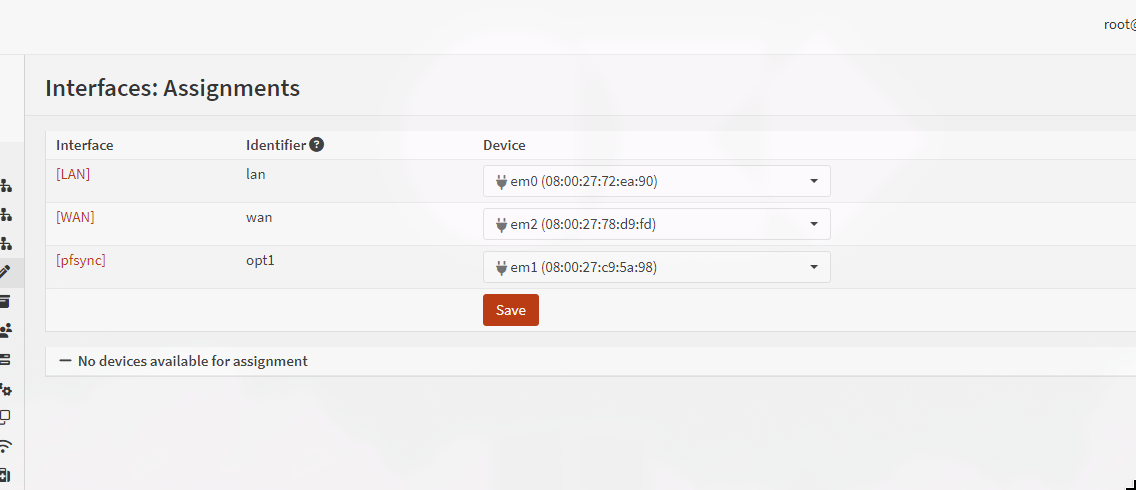
REMEMBER: relate the em/x interface from the virtual machine interface using MAC addresses
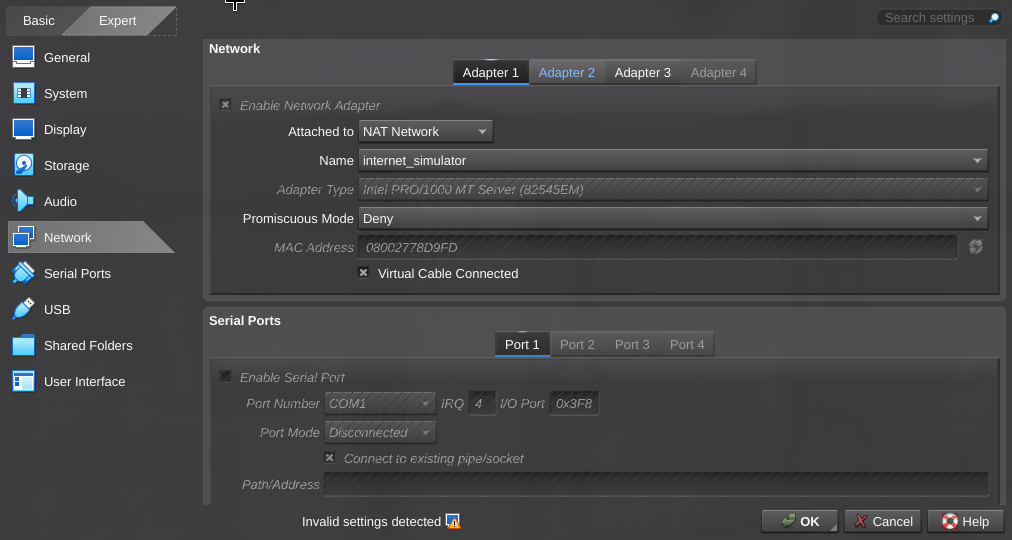
By default Opnsense blocks connection on any new interface.
So we need to make a firewall rule to allow any network activity on the pfsync interface. 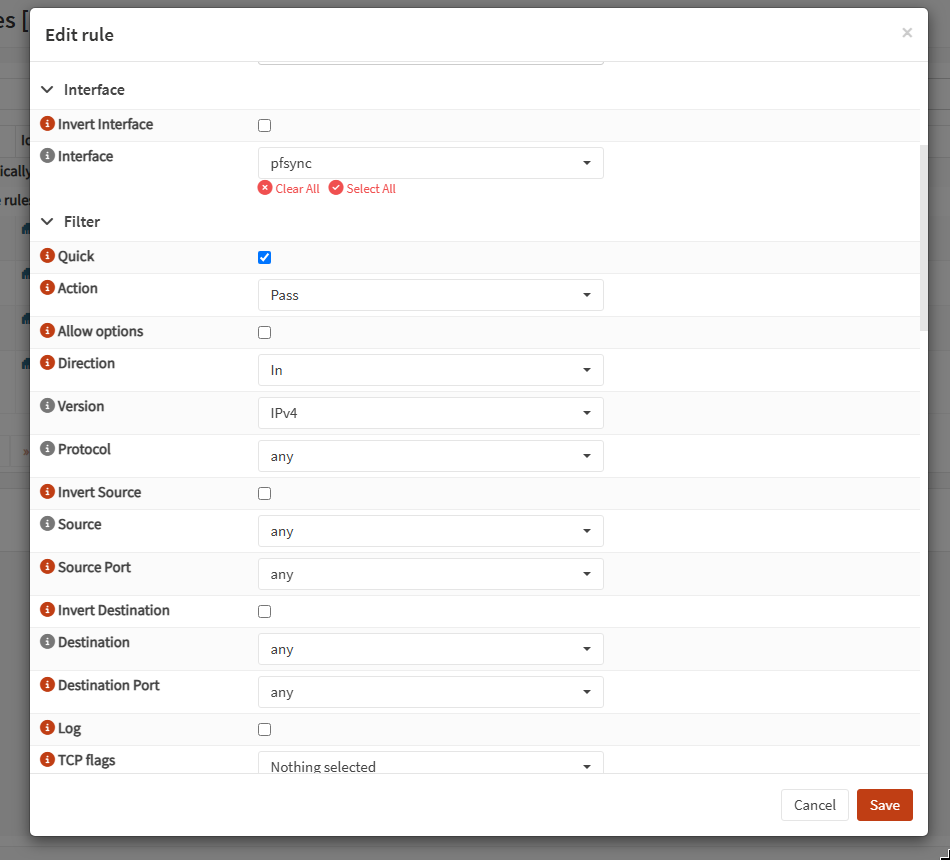
DEPLOY BACKUP FIREWALL
Next to make the backup firewall shutdown current firewall, and make a clone of the current firewall in virtualbox.
Make sure that you set new MAC addresses on all interfaces form the drop down.
Start the backup firewall and assign IPs:
- LAN: 10.0.0.252 / 24
- WAN: 192.168.81.252 / 24
- pfsync: 10.0.8.2 / 24
As now there will be not IP / MAC clashes on network, start the master firewall too.
VIP (VIRTUAL IP) ASSIGNMENT
We will make a common virtual IP on both master and slave.
- VHID: VIP on separate interface will have a separate VHID group.
- SKEW: The less the value the more priority the firewall has, master should have skew 0 (the lowest value).
- MODE: CARP required for HA setups.
Interface > virtual IP > settings
MASTER
assign skew = 1.
For WAN, VHID 1 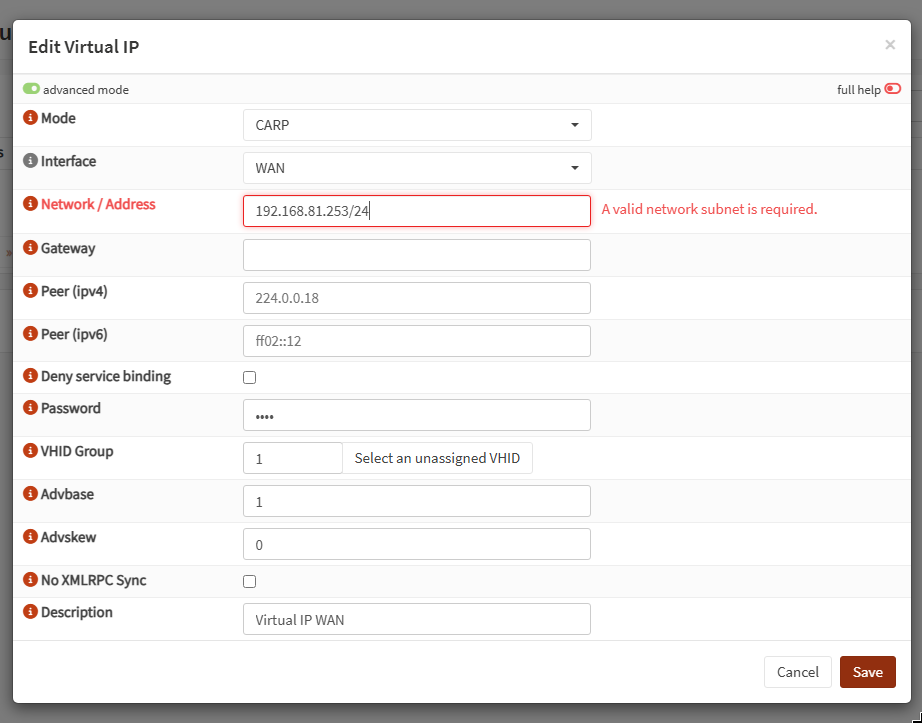
For LAN, VHID 2 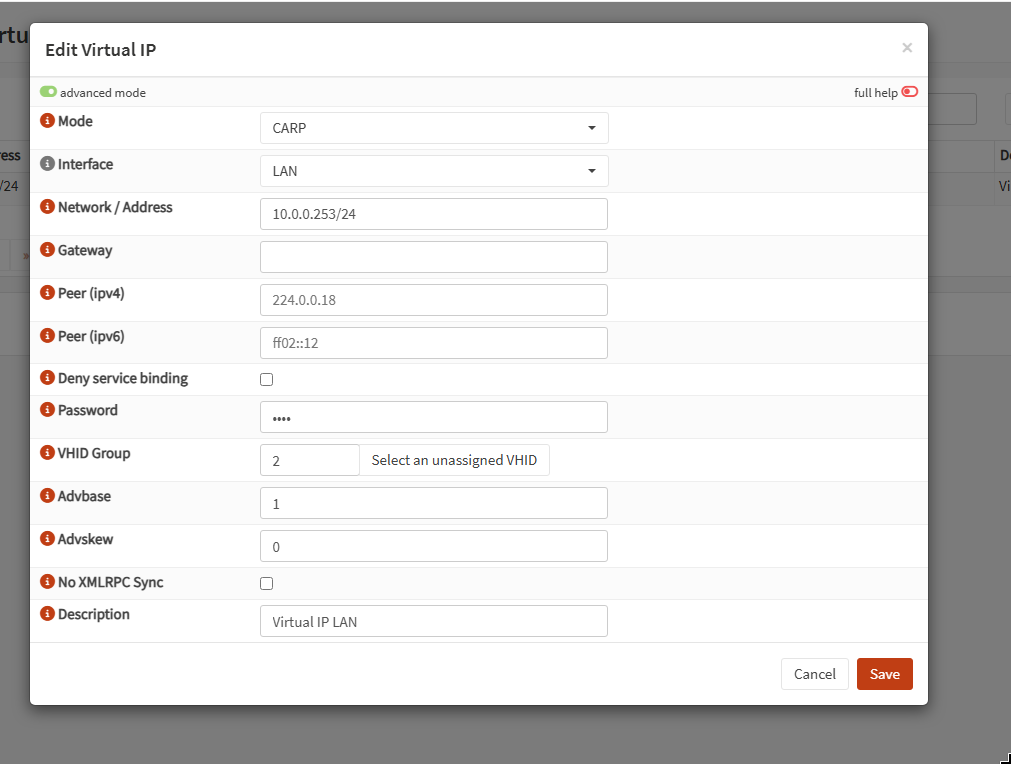
SLAVE Assign skew = 100
Keep all the other settings same as master. 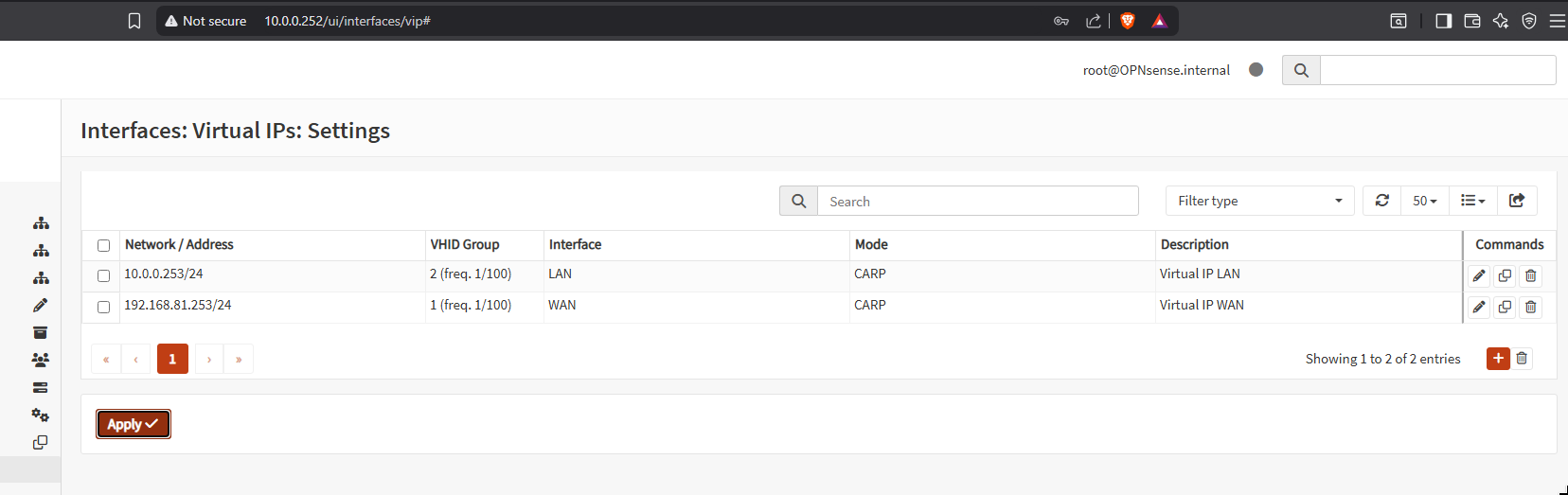
HA (HIGH AVAILABILITY) SETUP
Now we need to tell both master and slave about the peer firewall. As they will need to know the status of the other and keep configurations in sync.
PASSWORD: In a production environment have a separate password for the HA setup. As all the firewall configurations can be changed using HA.
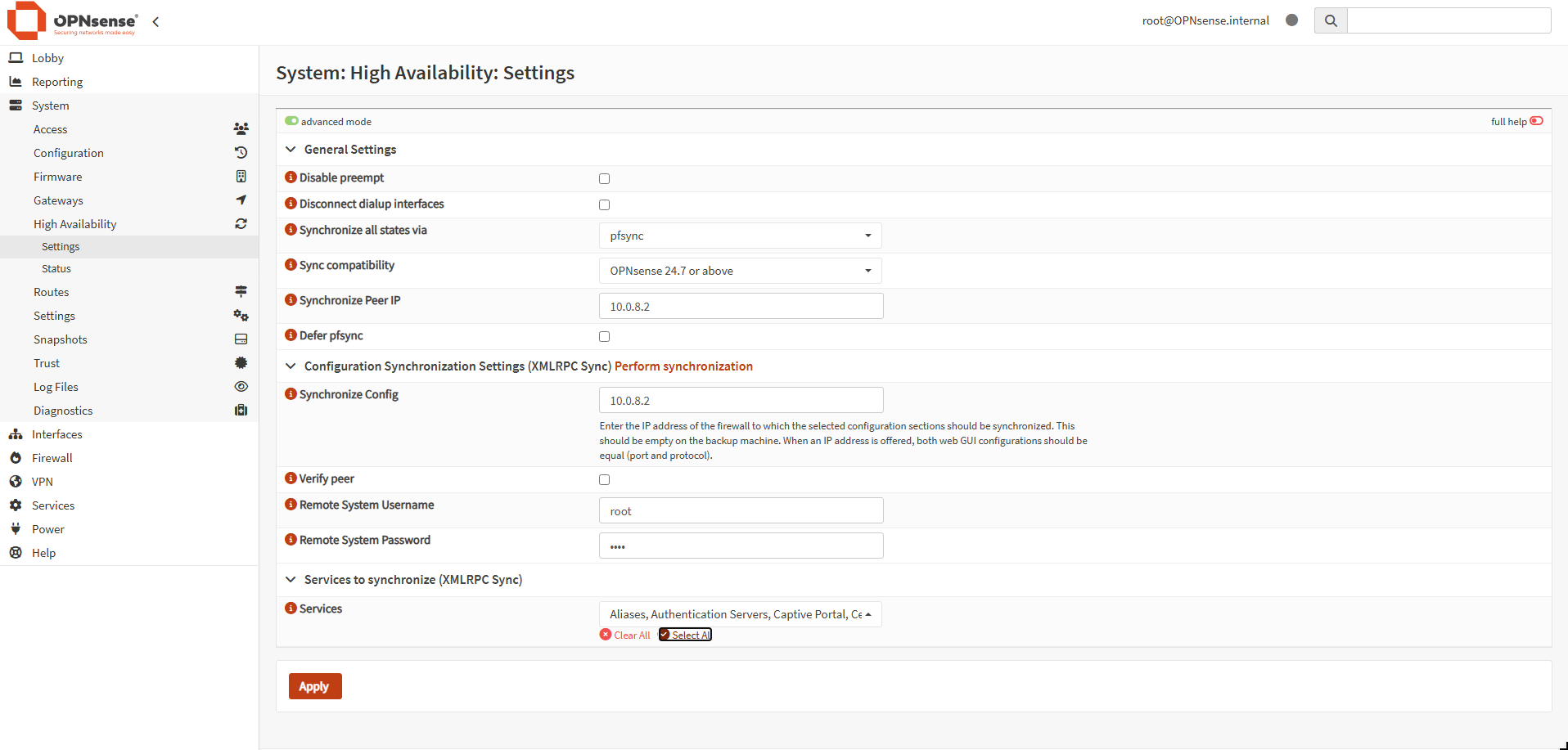
FOR MASTER
- Peer IP: slave IP (10.0.8.2)
- XMLRPC: Sync everything for now, configure only on the master firewall.
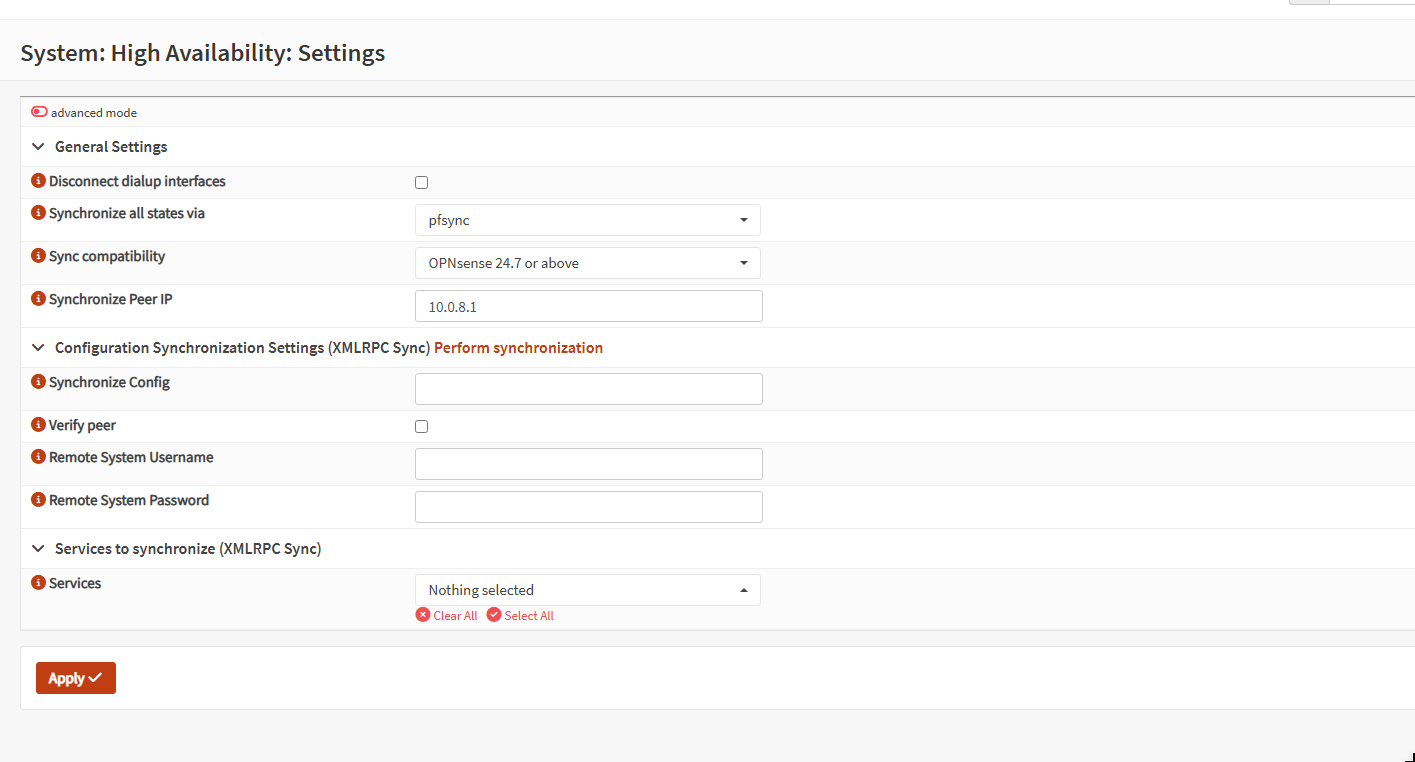
FOR SLAVE
- Peer IP: Master (10.0.8.1)
We can view the status of the backup firewall from the master. 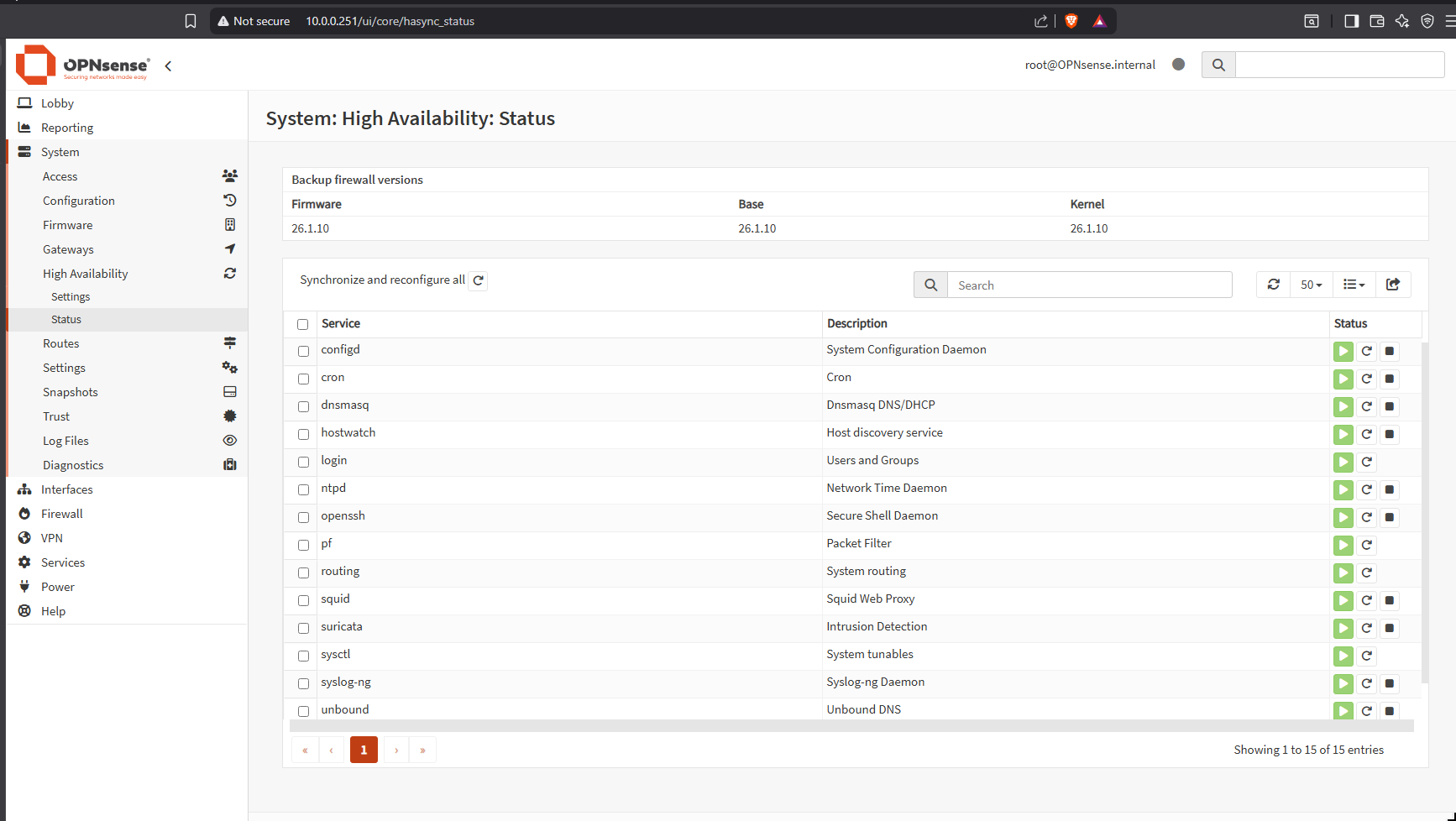
NAT TRANSLATION
Why VIP on the WAN network??
Suppose MASTER is the live firewall / gateway. A client reaches cloudflare DNS server (8.8.8.8) it goes through master NAT will put 10.0.0.251 (master’s IP) in the source. Cloudflare’s server will have MASTER’s IP on the destination.
Just moments before that the MASTER goes down and SLAVE becomes the live firewall. But the DNS response from cloudflare will contain MASTER IP as the destination.
Here the connection will break.
So in order to create perfect redundancy, we will tell both the MASTER and the BACKUP firewalls to NAT any packet form LAN network to the WAN’s VIP no their own IP.
RULE: NAT Translate any traffic from LAN network to anywhere with the WAN VIP (192.168.81.253).
On both master and slave firewalls: 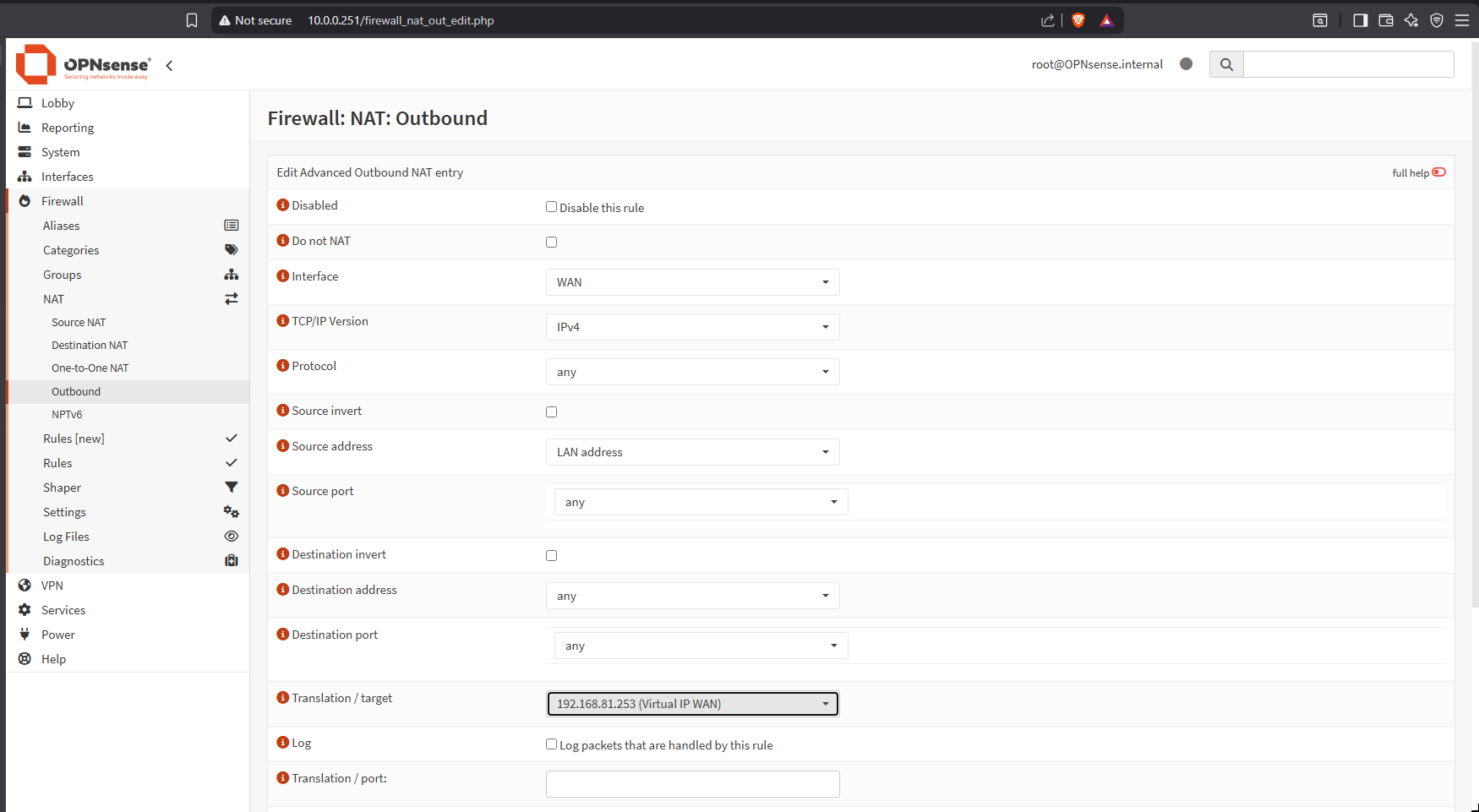
TESTING
We will now run two test to check the VIP connectivity by simulating a condition where the MASTER firewall will fail.
Just for visibility we can add a CARP widget on the lobby’s dashboard.
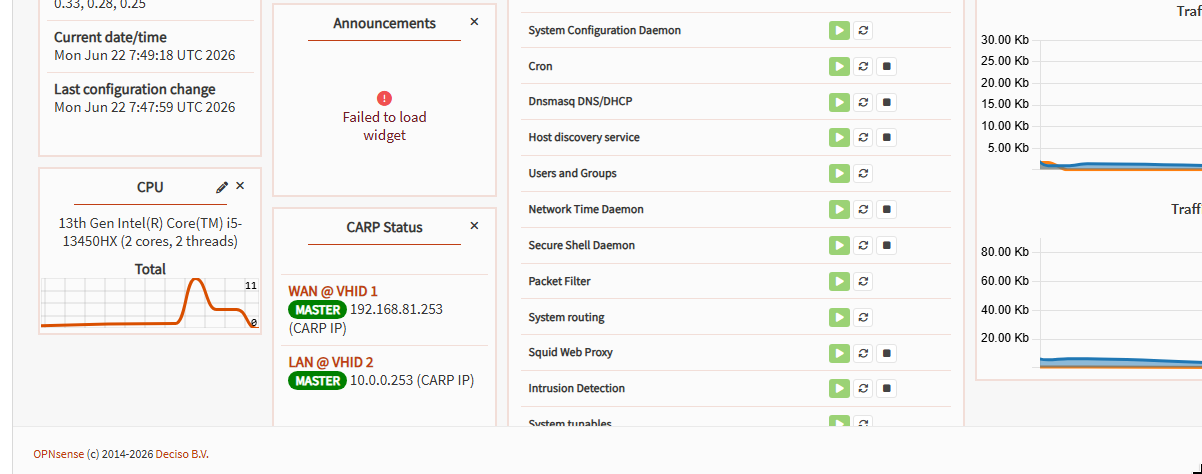
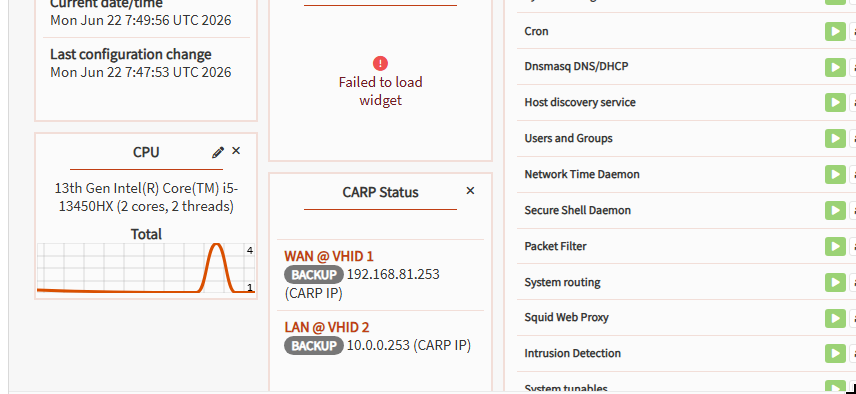
Ping testing
From windows host ping all the three IPs:
- Master
- Slave
- LAN VIP
1
2
3
ping 10.0.0.253 -t
ping 10.0.0.251 -t
ping 10.0.0.252 -t
All them should return with ICMP responses. If not, check the VIP settings.
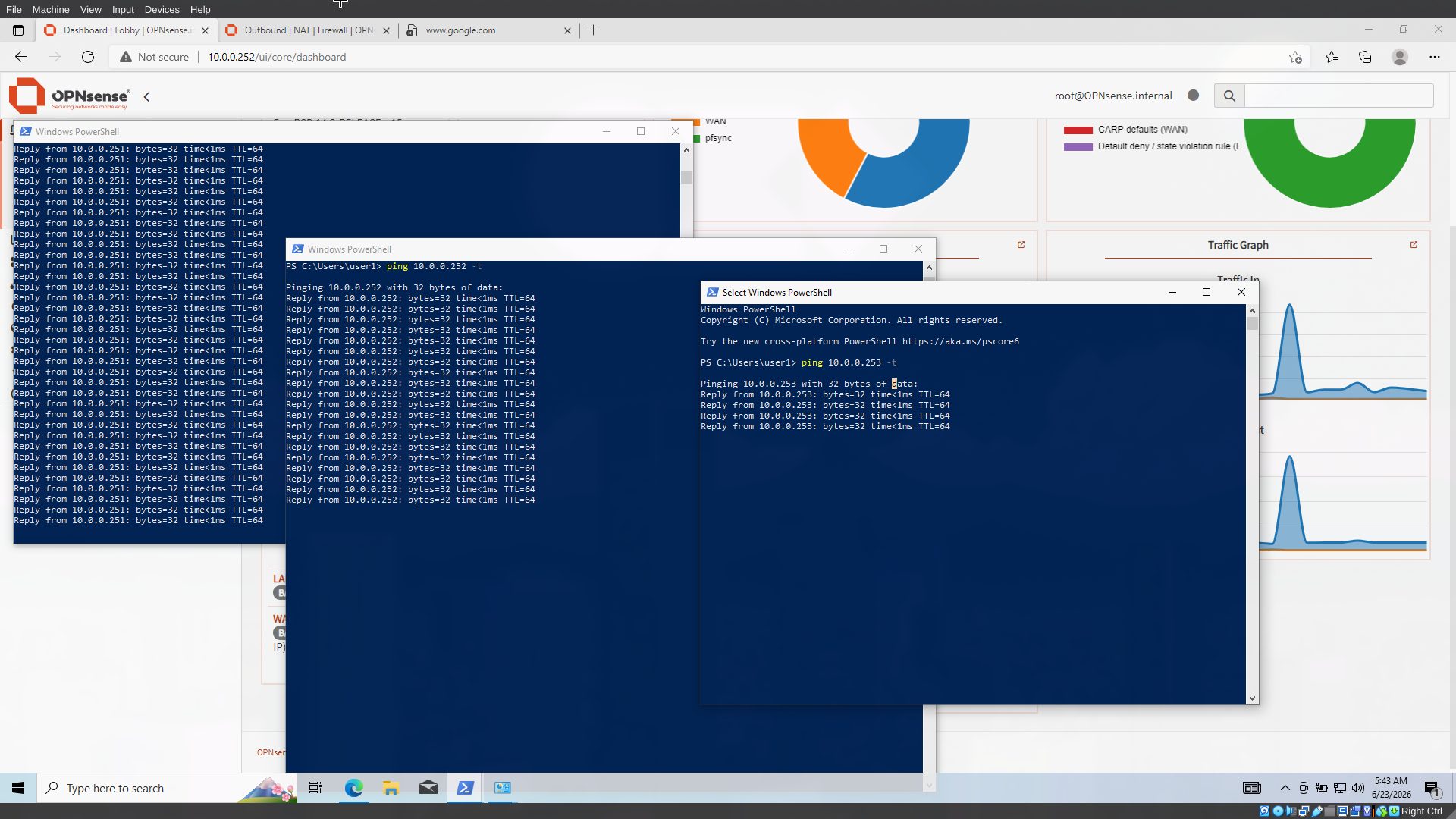
now cable disconnect the MASTER from the virtual box settings. 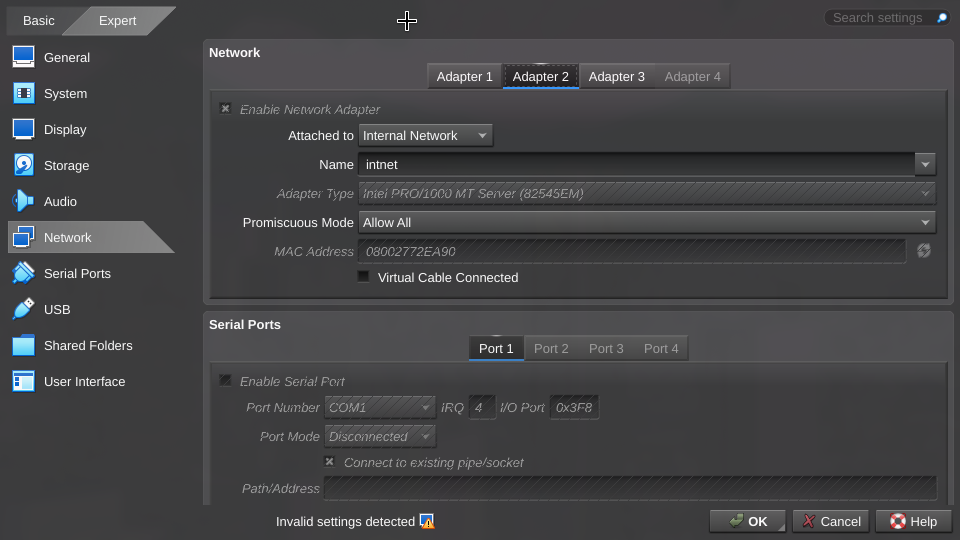
The LAN VIP will still continue responding. 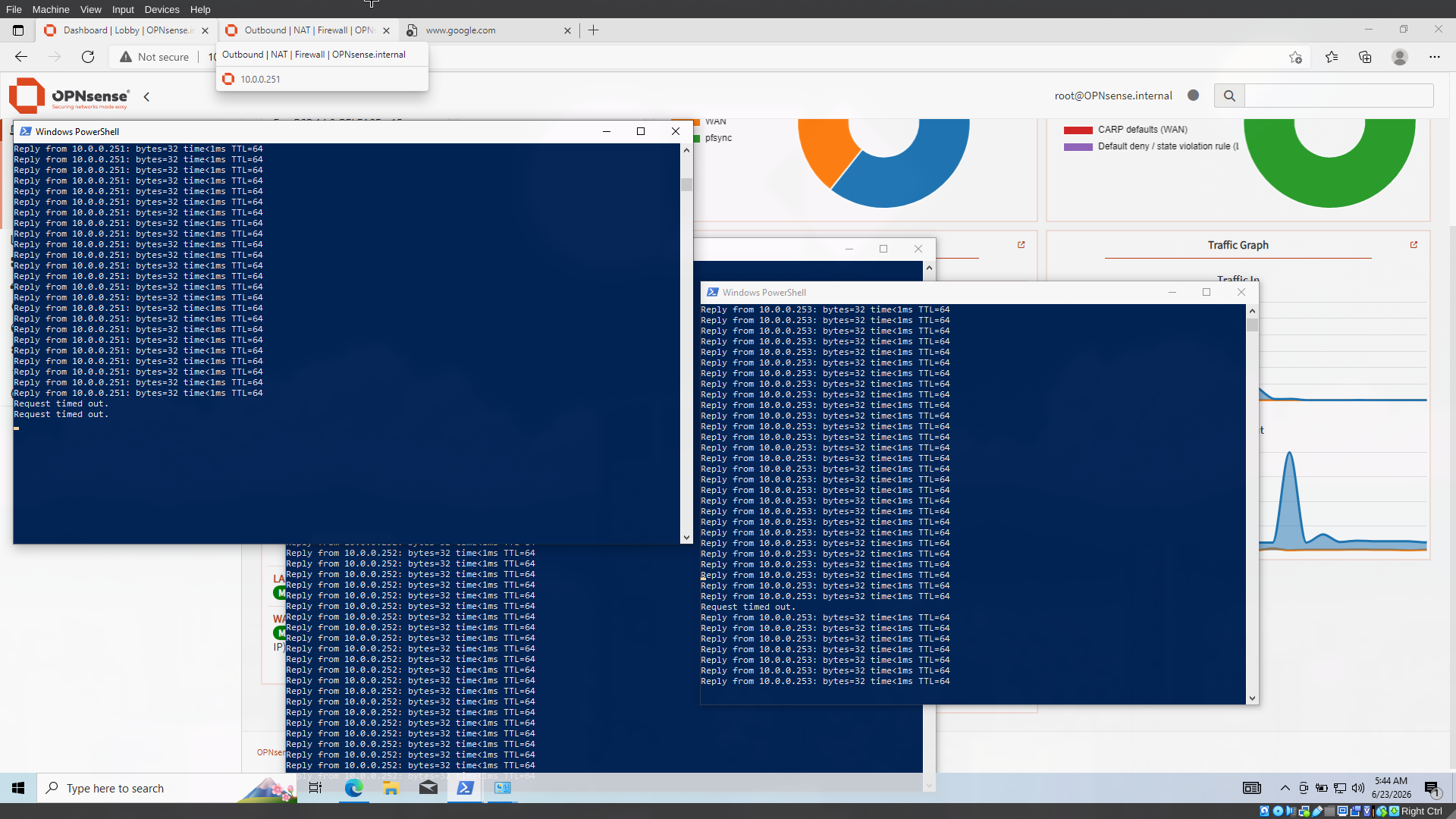
Also check the widget the SLAVE firewall will now become the master
Internet testing
First of all assign the LAN VIP as the default gateway on the windows host. Now, browse internet with or without the MASTER cable connected .
The internet works. 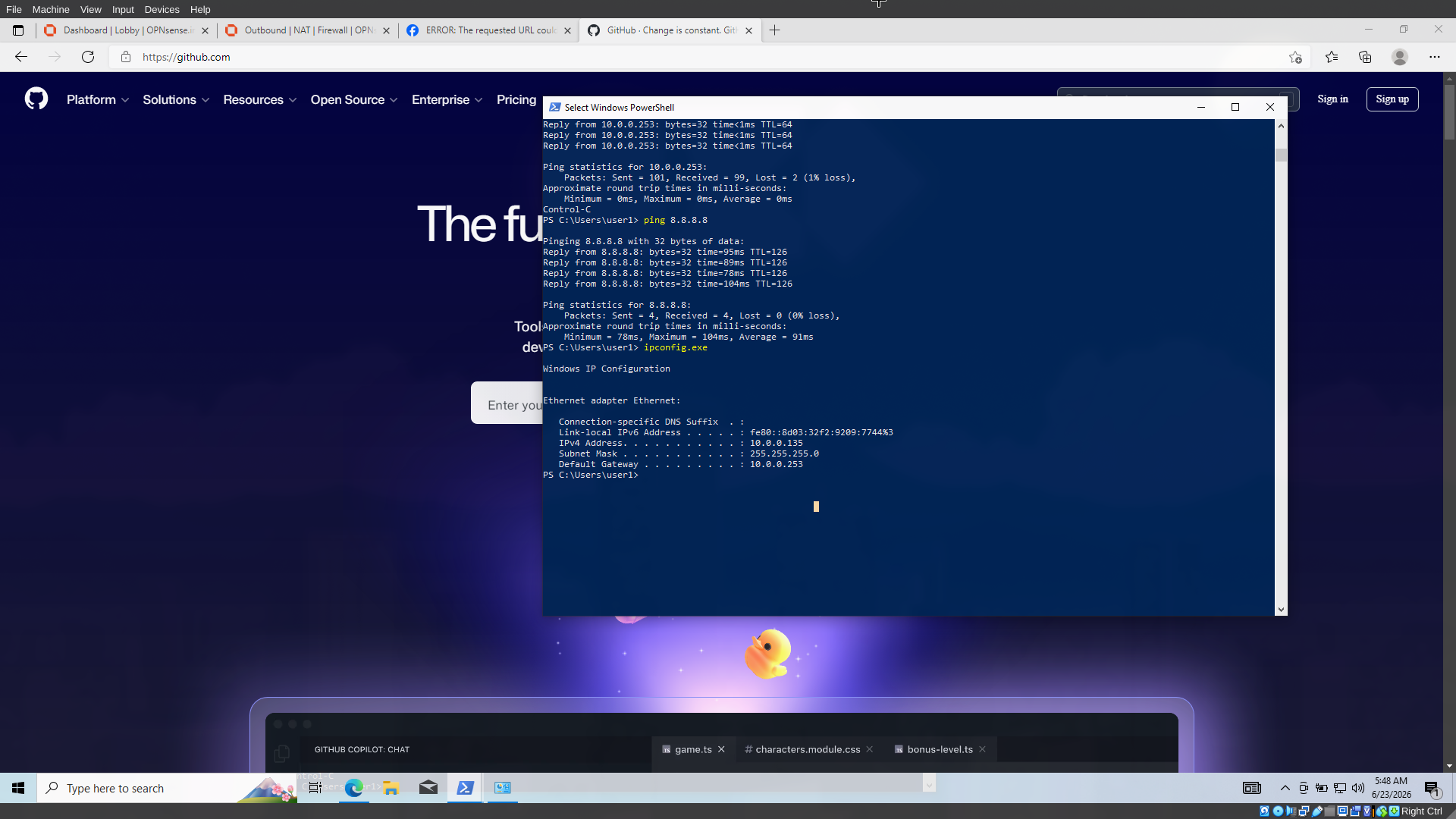
Thanks for reading meet you in the next post where we will make a setup that will handle WAN failover.